Help Center
Microsoft Office 365 Pro Plus Lifetime Account 5 Devices — Office 365 Pro plus

Office 365 Pro Plus – Account Activation
Step-by-step login & installation guide
First time? Please log in and set a new password.
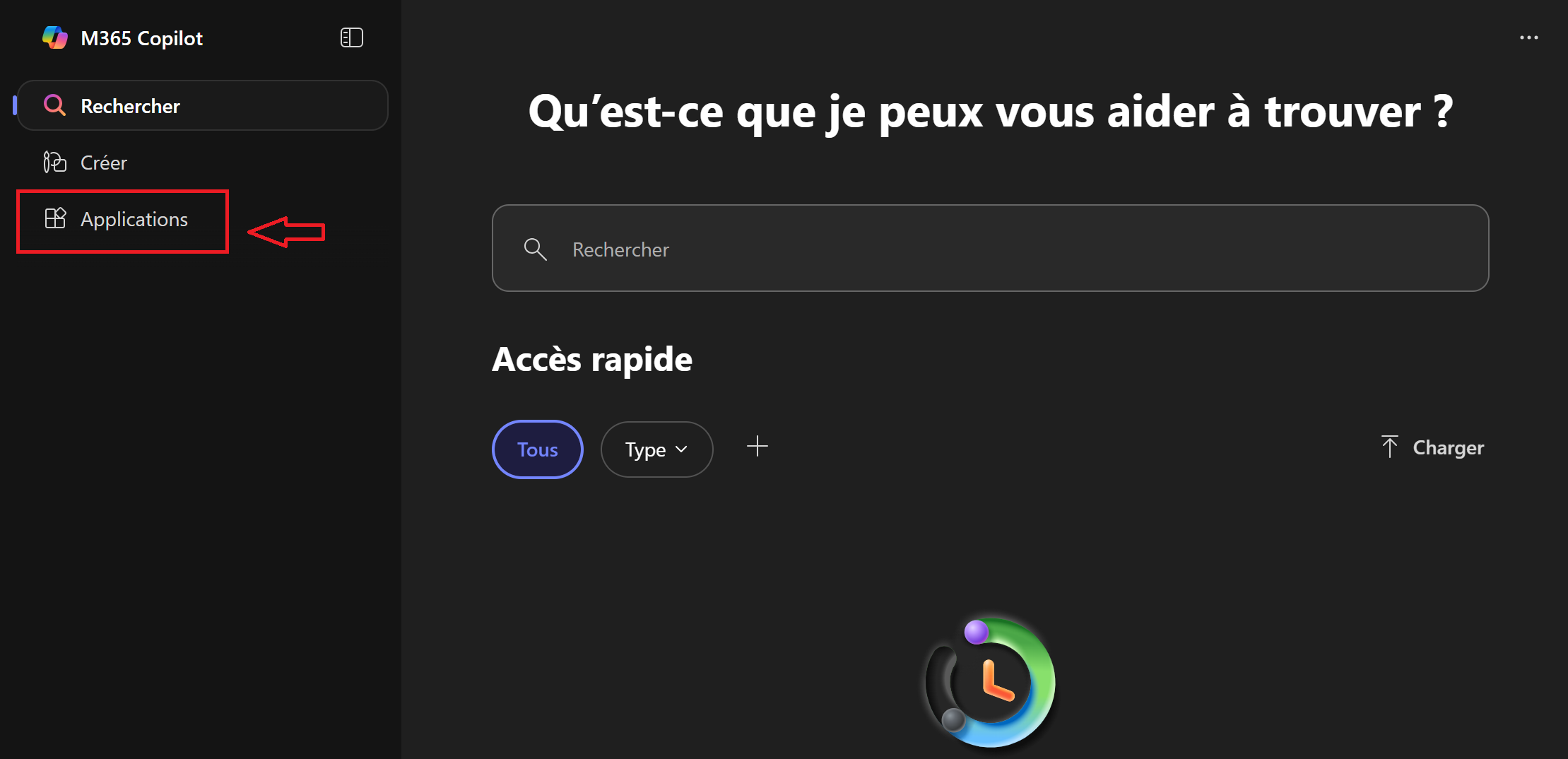
Step 1: Click on “Application”
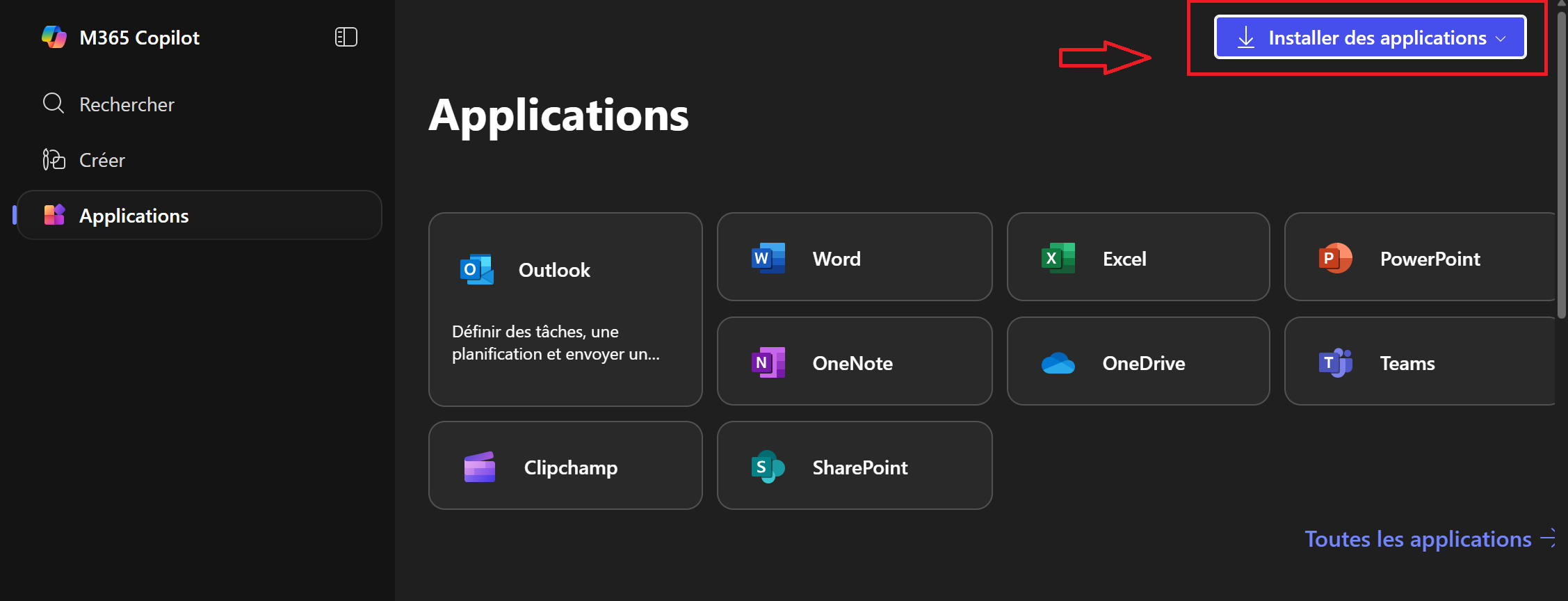
Step 2: Click on “Install Application”
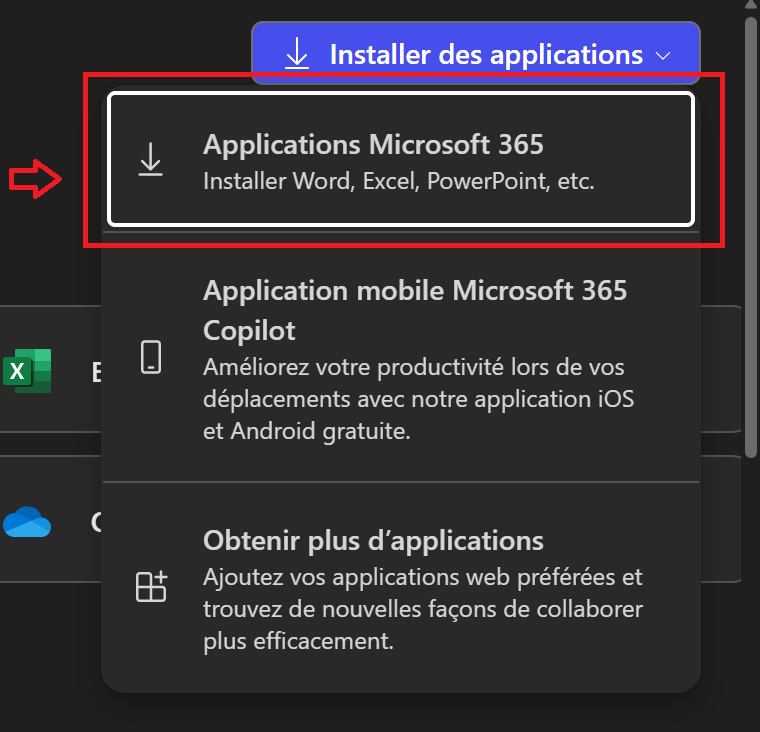
Step 3: Choose “Microsoft 365 Application”
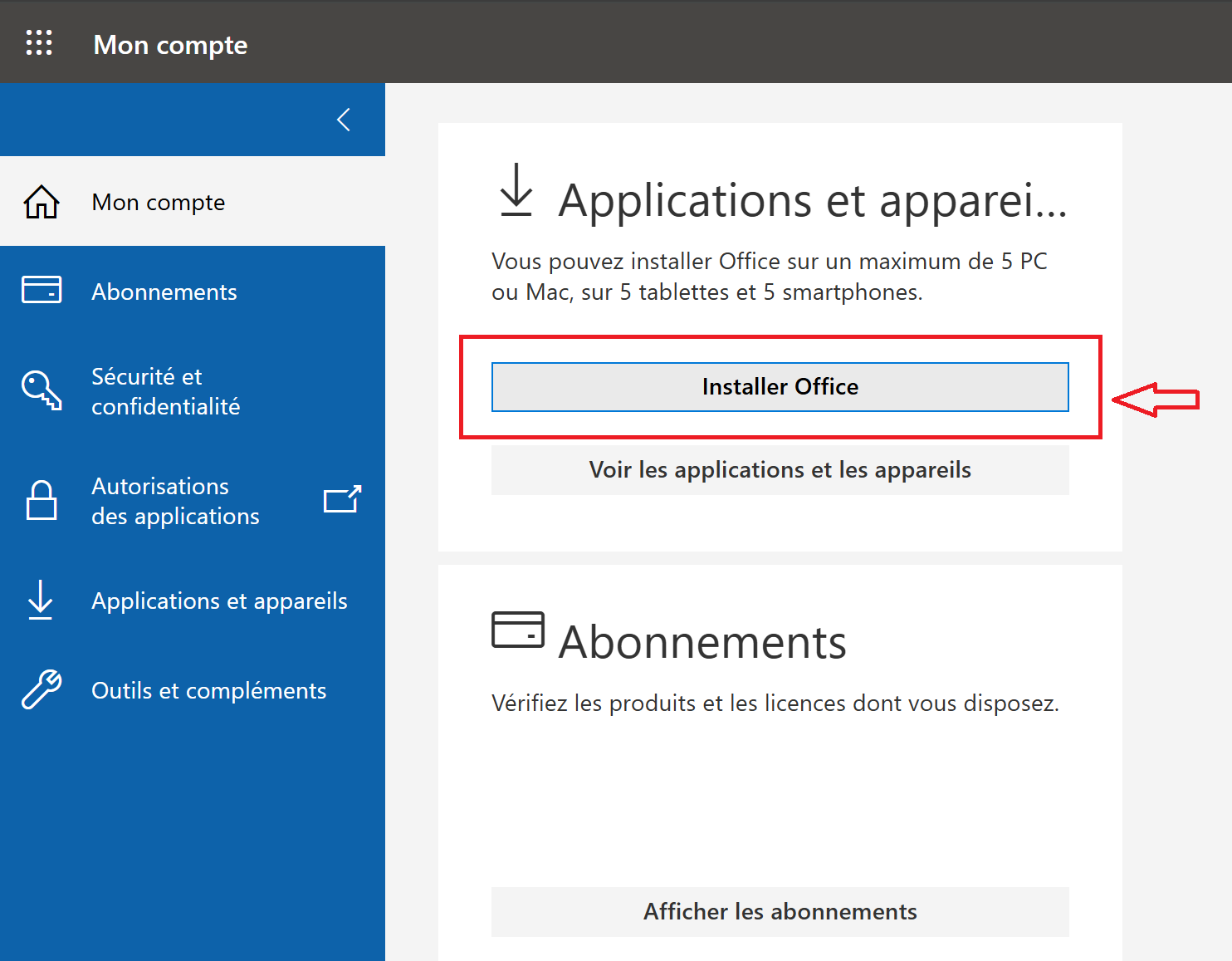
Step 4: Click on “Install Office”
✅ When installation is done, log in with your account to activate Office 365.
📣 Before You Worry
If there is any problem & before opening a PayPal Case, please reply to your order email or contact us.
🛡️ Your Guarantee
If the account or subscription doesn\'t work, we will provide a replacement immediately.
📸 Please include a screenshot of the error and your login email for faster support.
📩 Need Assistance?
Reply directly to your order email or contact us:
[email protected]
💬 Live Chat Support
Thank you for choosing Keys4us.com – Enjoy Microsoft 365!